Lantus
Product Images NDC 54868-5765

View Photos of Packaging, Regulatory Labels, and Product Appearance

Product Visual Gallery

This gallery contains 49 technical images submitted to the FDA as part of the official labeling for Lantus (NDC 54868-5765). Unlike standard consumer photos, these assets often include clinical data figures, molecular chemical structures, and official manufacturer packaging layouts.

As provided by Physicians Total Care, Inc., these visuals offer a comprehensive scientific overview of the product's physical and chemical identity, aiding pharmacists and researchers in product verification and study.

Product Images & Figures Index

FDA Label Image

Image Of 1 Count 10 mL Vial Label (4626)

Image Of 1 Count 10 mL Vial Label (4626)
Label of Lantus 100 U/mL vial distributed by Physicians Total Care, Inc. It includes the lot number, expiration date of 01/60, and a barcode. Manufacturer listed as Sanofi-Aventis U.S. LLC.*
FDA Label Image

Image Of 5 Count 3 mL Cartridge Label (5765)

Image Of 5 Count 3 mL Cartridge Label (5765)
Label for Lantus 100 units/mL cartridge distributed by Physicians Total Care, Inc. The label includes the National Drug Code (NDC) 54868-5765-0, lot number 000, expiration date 01/60, and manufacturer Sanofi-Aventis U.S. LLC. A barcode is also visible.*
FDA Label Image

Image Of 5 Count 3 mL Solostar Label (6231)

Image Of 5 Count 3 mL Solostar Label (6231)
Label for Lantus Solostar 100 U/mL PFS (pre-filled syringe) distributed by Physicians Total Care, Inc. The label shows a 15 mL vial with lot number 0000 and expiration date 01/68. The National Drug Code (NDC) is 54868-6231-0, with a barcode displayed below.*
FDA Label Image

Image Of Digital Dose Display Zeros (Opticlik 00)

Image Of Digital Dose Display Zeros (Opticlik 00)
The image shows a small clear vial with a white label for Lantus, a medication by Physicians Total Care, Inc. The label displays Lantus prominently and indicates the vial is intended for injectable use. The vial contains a clear liquid, and part of the label text is visible but not fully legible.*
FDA Label Image

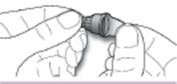
Image Of Opticlik Attaching Step A (Opticlik Attaching A)

Image Of Opticlik Attaching Step A (Opticlik Attaching A)
An instructional illustration showing hands holding and twisting the cap of a device, likely depicting removal or attachment of the cap. The image is related to product handling or administration steps for Lantus.*
FDA Label Image

Image Of Opticlik Attaching Step B1 (Opticlik Attaching B1)

Image Of Opticlik Attaching Step B1 (Opticlik Attaching B1)
An instructional illustration showing how to attach a pen needle to a medication pen device. The image depicts one hand holding the pen and the other hand holding the needle cap, aligning it for connection. The product is Lantus, a medication pen by Physicians Total Care, Inc.*
FDA Label Image

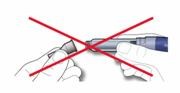
Image Of Opticlik Attaching Step B2 (Opticlik Attaching B2)

Image Of Opticlik Attaching Step B2 (Opticlik Attaching B2)
An instructional diagram showing two insulin pens. The pens are crossed out with a large red X, indicating that the depicted method or action is not recommended or should be avoided.*
FDA Label Image

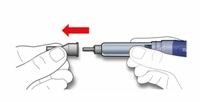
Image Of Opticlik Attaching Step C (Opticlik Attaching C)

Image Of Opticlik Attaching Step C (Opticlik Attaching C)
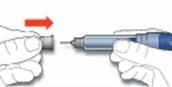
An instructional illustration showing the removal of a protective cap from a pen injector, presumably for Lantus insulin. The image demonstrates holding the pen with one hand and pulling off the cap with the other, indicated by a red arrow pointing away from the pen.*
FDA Label Image

Image Of Digital Dose Display Battery (Opticlik Battery)

Image Of Digital Dose Display Battery (Opticlik Battery)
The image shows a vial of Lantus, a medication labeled by Physicians Total Care, Inc. The vial appears to be a single-dose container with a gray cap and a white label with printed text on it.*
FDA Label Image

Image Of Digital Dose Display Dashes (Opticlik Dashes)

Image Of Digital Dose Display Dashes (Opticlik Dashes)
Lantus 100 units/mL insulin glargine injection vial label by Physicians Total Care, Inc. The label shows a white background with black text and two visible injection ports on the vial cap. No other strength or quantity details are visible.*
FDA Label Image

Image Of Opticlik Hour Glass (Opticlik Hour Glass)

Image Of Opticlik Hour Glass (Opticlik Hour Glass)
Lantus package label featuring minimal visible text and a small printed number. The label shows a white background with a black printed code or identifier. No dosage, strength, or detailed product information is legible in the image.*
FDA Label Image

Image Of Opticlik Injecting Step A (Opticlik Injecting A)

Image Of Opticlik Injecting Step A (Opticlik Injecting A)
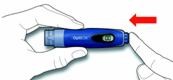
An instructional illustration showing a hand holding a pen injector device with an arrow pointing left, indicating a step in the use or preparation process of the device.*
FDA Label Image

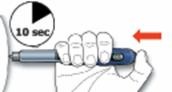
Image Of Opticlik Injecting Step B (Opticlik Injecting B)

Image Of Opticlik Injecting Step B (Opticlik Injecting B)
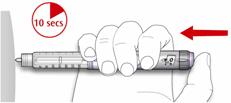
An instructional illustration showing the proper hand placement and timing for using a pen-type injection device. The image depicts a hand holding the pen with an arrow indicating injection direction, and a timer icon labeled "10 sec" indicating the duration to hold the pen in place during injection.*
FDA Label Image

Image Of Opticlick Inserting Step A (Opticlik Inserting A)

Image Of Opticlick Inserting Step A (Opticlik Inserting A)
An instructional illustration showing hands holding a pen injector device. A red arrow points from the back toward the front of the device labeled "Open cap," indicating how to remove the protective cap from the pen before use.*
FDA Label Image

Image Of Opticlik Inserting Step B1 (Opticlik Inserting B1)

Image Of Opticlik Inserting Step B1 (Opticlik Inserting B1)
An instructional diagram showing hands attaching a cartridge to a pen injector device. The image illustrates how to prepare and assemble the cartridge and pen for injection.*
FDA Label Image

Image Of Opticlik Inserting Step B2 (Opticlik Inserting B2)

Image Of Opticlik Inserting Step B2 (Opticlik Inserting B2)
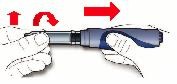
An instructional illustration showing the assembly of a pen injector device. It depicts a hand inserting a cartridge or cartridge holder into the pen device body, indicated by a red arrow pointing to the right, and a second arrow curving upward showing the final step in the process.*
FDA Label Image

Image Of Opticlik Inserting Step C (Opticlik Inserting C)

Image Of Opticlik Inserting Step C (Opticlik Inserting C)
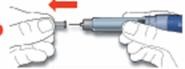
An instructional illustration showing a hand holding an insulin pen and another hand pulling off the pen cap. Two red arrows indicate the direction of cap removal, moving sideways away from the pen. The image demonstrates the first step of preparing the Lantus insulin pen for injection.*
FDA Label Image

Image Of Opticlik Removing Step A (Opticlik Removing A)

Image Of Opticlik Removing Step A (Opticlik Removing A)
An instructional illustration showing hands preparing an injectable drug device. The image depicts removing a cap from a pen-like injection device, demonstrating part of the preparation process before administration.*
FDA Label Image

Image Of Opticlik Removing Step B (Opticlik Removing B)

Image Of Opticlik Removing Step B (Opticlik Removing B)
An instructional diagram showing a hand holding an insulin pen from Lantus by Physicians Total Care, Inc., with an arrow indicating a twisting action to attach or detach the needle cap.*
FDA Label Image

Image Of Opticlik Replacing Step A (Opticlik Replacing A)

Image Of Opticlik Replacing Step A (Opticlik Replacing A)
An instructional illustration showing a hand holding the Lantus insulin pen with an arrow indicating the direction to push or press a button on the pen, likely demonstrating how to activate or use the device.*
FDA Label Image

Image Of Opticlik Replacing Step B (Opticlik Replacing B)

Image Of Opticlik Replacing Step B (Opticlik Replacing B)
An instructional illustration showing a hand holding a syringe with red arrows indicating a step of the injection or preparation process, such as pulling or pushing a part of the syringe. No text is visible to specify the medication or dosage.*
FDA Label Image

Image Of Opticlik Safety Step A (Opticlik Safety A)

Image Of Opticlik Safety Step A (Opticlik Safety A)
Illustration showing how to operate a device with a labeled start button at the top. It depicts a hand holding the device and pointing with a finger to the start button, with a red arrow indicating where to press.*
FDA Label Image

Image Of Opticlik Safety Step B (Opticlik Safety B)

Image Of Opticlik Safety Step B (Opticlik Safety B)
An instructional diagram showing a hand holding a blue insulin pen with the brand name Opdick. A red arrow points rightward, likely indicating an action to be performed with the pen device.*
FDA Label Image

Image Of Opticlik Safety Step C (Opticlik Safety C)

Image Of Opticlik Safety Step C (Opticlik Safety C)
An instructional illustration showing hands holding a blue Lantus SoloSTAR insulin pen injector, with an arrow indicating to rotate the dial at the bottom of the pen, demonstrating dose setting or adjustment.*
FDA Label Image

Image Of Opticlik Safety Step D (Opticlik Safety D)

Image Of Opticlik Safety Step D (Opticlik Safety D)
An instructional illustration showing hands preparing a pen injector device by removing the cap, demonstrating the first step with a red arrow indicating removal direction.*
FDA Label Image

Image Of Opticlik Safety Step E (Opticlik Safety E)

Image Of Opticlik Safety Step E (Opticlik Safety E)
An instructional illustration showing a hand holding a Lantus insulin pen injector. The image demonstrates a step of preparation, with a red arrow indicating pressing or twisting a bottom part of the pen. Next to it is a filled insulin cartridge or vial with a threaded top, presumably for insertion into the pen. The illustration guides on preparing the Lantus pen for injection.*
FDA Label Image

Image Of Opticlik Setting Step A (Opticlik Setting A)

Image Of Opticlik Setting Step A (Opticlik Setting A)
An instructional illustration showing a hand holding an insulin pen with a finger pressing the 'Start Button' on the device, indicating how to initiate the injection process. The pen is likely related to Lantus insulin delivery.*
FDA Label Image

Image Of Opticlik Setting Step B (Opticlik Setting B)

Image Of Opticlik Setting Step B (Opticlik Setting B)
An instructional diagram showing hands holding a blue insulin pen device labeled "OptiClik." The image demonstrates twisting the dial or cap of the pen, indicated by a red circular arrow, likely to adjust dosage or prepare the device for injection.*
FDA Label Image

Image Of Opticlik (Opticlik)

Image Of Opticlik (Opticlik)
An instructional diagram illustrating the components and views of a Lantus insulin pen device by Physicians Total Care, Inc. It shows the pen cap, needle assembly with outer and inner needle caps and protective seal, a cartridge system (disposable), and three views of the pen body: front view with digital dose display and dosage knob, rear view with cartridge release button and start button, and end view indicating dosage knob rotation directions.*
FDA Label Image

Image Of Solo Attach C1 (Solo Attach C1)

Image Of Solo Attach C1 (Solo Attach C1)
An instructional illustration showing hands removing a protective cap from the needle end of a Lantus insulin injection pen. The pen is clearly marked for dose measurement and held ready for use.*
FDA Label Image

Image Of Solo Attach C2 (Solo Attach C2)

Image Of Solo Attach C2 (Solo Attach C2)
Instructional illustration showing hands preparing a Lantus prefilled insulin syringe, with a red X mark indicating incorrect technique or a step not to be done.*
FDA Label Image

Image Of Solo Inject B (Solo Inject B)

Image Of Solo Inject B (Solo Inject B)
An instructional illustration showing a hand holding a syringe with the thumb pressing the plunger. A red arrow points leftward, indicating the direction for pushing the plunger to administer medication. The illustration is related to Lantus, an insulin product by Physicians Total Care, Inc.*
FDA Label Image

Image Of Solo Inject D (Solo Inject D)

Image Of Solo Inject D (Solo Inject D)
An instructional illustration demonstrating the injection technique for Lantus. It shows a hand holding a syringe at the injection site with an arrow indicating the direction of injection and a symbol indicating to wait 10 seconds before withdrawing the needle.*
FDA Label Image

Image Of Solo Perform A (Solo Perform A)

Image Of Solo Perform A (Solo Perform A)
An instructional diagram showing a hand removing the needle cap from a Lantus insulin pen. The illustration focuses on the proper technique for detaching the protective needle cover by pulling it upward with fingers.*
FDA Label Image

Image Of Solo Perform B (Solo Perform B)

Image Of Solo Perform B (Solo Perform B)
An instructional illustration showing three components: a pen cap labeled 'Keep,' a small needle labeled 'Discard,' and a pen injector device. Red arrows indicate the sequence for removing or handling the components during preparation or disposal of the pen needle.*
FDA Label Image

Image Of Solo Perform E (Solo Perform E)

Image Of Solo Perform E (Solo Perform E)
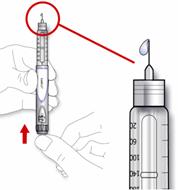
An instructional illustration showing how to remove the needle cap from a Lantus insulin pen. The image depicts a hand pulling the needle cap straight off the pen, with a red arrow indicating the direction of removal. A close-up inset shows the needle tip exposed after cap removal.*
FDA Label Image

Image Of Solo Select B (Solo Select B)

Image Of Solo Select B (Solo Select B)
Instructional diagram showing how to adjust the dose selector on an insulin pen by turning the dose knob clockwise with the thumb and finger, indicating dose setting for Lantus insulin pen by Physicians Total Care, Inc.*
FDA Label Image

Image Of Solostar (Solostar)

Image Of Solostar (Solostar)
An instructional diagram of the Lantus insulin pen by Physicians Total Care, Inc. It shows labeled parts including the pen cap, separated pen needle components (outer needle cap, inner needle cap, needle, protective seal), and the pen body. The pen body features an insulin reservoir, rubber seal, dose window, dosage selector, and injection button.*
FDA Label Image

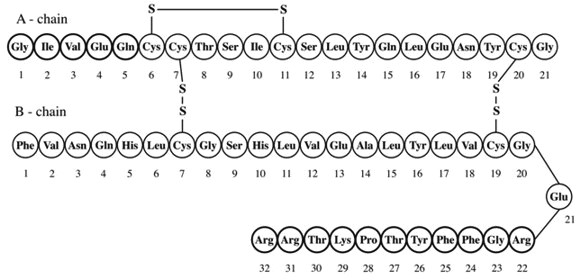
Image Of Chemical Structure (Chemical Structure)

Image Of Chemical Structure (Chemical Structure)
Illustration showing the amino acid sequences of the A-chain and B-chain of a protein, with circles containing the abbreviated names of amino acids arranged sequentially and connected by lines, including disulfide bonds represented by 'S'. The A-chain has 21 amino acids and the B-chain has 31 amino acids.*
FDA Label Image

Image Of Figure 1 (Figure 1)

Image Of Figure 1 (Figure 1)
A line graph showing glucose utilization rate (µg/kg/min) over time (hours) after subcutaneous injection, comparing insulin glargine and NPH insulin. The graph includes two curves for 20 subjects each, with an indication marking the end of the observation period around 24 hours.*
FDA Label Image

Image Of How To Inject Step 2 (Image 2a)

Image Of How To Inject Step 2 (Image 2a)
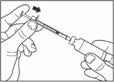
An instructional illustration showing a hand pulling off the cap of a syringe or pen device, likely related to the preparation of an injectable medication such as Lantus insulin. The drawing is simple, black and white, and focuses on the action of removing the cap from the injection device.*
FDA Label Image

Image Of How To Draw Step 3 (Image 3)

Image Of How To Draw  Step 3 (Image 3)
An instructional line drawing showing a person holding a vial of medication with one hand and removing the cap with the other hand, demonstrating how to open the vial before use.*
FDA Label Image

Image Of How To Draw Step 4 (Image 4)

Image Of How To Draw Step 4 (Image 4)
Instructional diagram showing a hand holding a vial and a syringe with a needle drawing liquid from the vial. The image demonstrates the proper technique for withdrawing liquid medication from a vial using a syringe.*
FDA Label Image

Image Of How To Inject Step 4 (Image 4a)

Image Of How To Inject Step 4 (Image 4a)
An instructional line drawing showing a close-up of hands preparing a syringe with a vial, demonstrating the technique of inserting a needle into the vial. The image includes arrows indicating the direction of movements.*
FDA Label Image

Image Of How To Draw Step 6 (Image 6a)

Image Of How To Draw Step 6 (Image 6a)
An instructional illustration showing hands holding a syringe and vial, demonstrating the process of drawing medication from the vial into the syringe. The image emphasizes proper technique for preparing an injection.*
FDA Label Image

Image Of How To Draw Step 6 (Image 6b)

Image Of How To Draw Step 6 (Image 6b)
An instructional illustration showing a hand holding a syringe and another hand gripping a vial, demonstrating the process of drawing medication from the vial into the syringe. The image is likely intended for a medication preparation guide.*
FDA Label Image

Image Of How To Draw Step 8 (Image 8)

Image Of How To Draw Step 8 (Image 8)
An instructional illustration depicting hands holding and preparing a syringe for injection. The image shows one hand stabilizing the syringe barrel while the other hand adjusts the syringe plunger, demonstrating proper handling technique.*
FDA Label Image

Image Of How To Draw Step 9 (Image 9)

Image Of How To Draw Step 9 (Image 9)
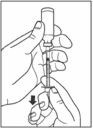
An instructional illustration showing a person's hand pressing down on a pen-injector device to administer an injection. The syringe needle is shown inserted at the top, with an arrow indicating the direction of pressing or injection.*
FDA Label Image

Image Of Sanofi Aventis Name (Sanofi Aventis)

* About these descriptions: Image descriptions on this page are generated by automated AI analysis of the product label images from the manufacturer's FDA label submission (SPL). They are provided for reference only and may contain errors or omissions. Always rely on the printed label itself and the official FDA labeling, and consult a pharmacist or healthcare professional with any questions about this product.