Lantus
Product Images NDC 55045-3685

View Photos of Packaging, Regulatory Labels, and Product Appearance

Product Visual Gallery

This gallery contains 47 technical images submitted to the FDA as part of the official labeling for Lantus (NDC 55045-3685). Unlike standard consumer photos, these assets often include clinical data figures, molecular chemical structures, and official manufacturer packaging layouts.

As provided by Dispensing Solutions, Inc., these visuals offer a comprehensive scientific overview of the product's physical and chemical identity, aiding pharmacists and researchers in product verification and study.

FDA Label Image

Ndc 55045-3685-01 (Ndc 55045 3685 01 Sanofi Aventis)

Ndc 55045-3685-01 (Ndc 55045 3685 01      Sanofi Aventis)
Lantus 100 units/mL (U-100) insulin glargine injection, 10 mL multiple-dose vial label by Dispensing Solutions, Inc. The label lists the NDC 55045-3685-01 and product number 9L0591. It includes cautionary statements about storage, usage instructions, and detailed ingredient information. The label also features barcodes and batch tracking details.*
FDA Label Image

Chemical Structure (Lantus 01)

Chemical Structure (Lantus 01)
Chemical structure diagram of insulin glargine, showing the amino acid sequences and disulfide bonds in the A-chain and B-chain.*
FDA Label Image

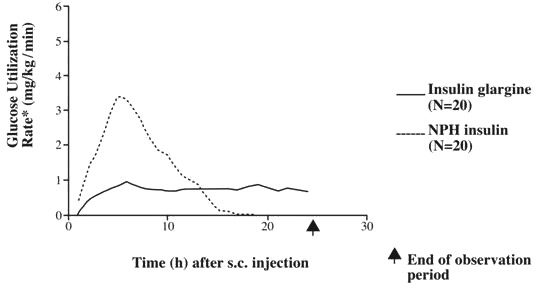
Figure (Lantus 02)

Figure (Lantus 02)
A line graph comparing glucose utilization rates over time following subcutaneous injection of Insulin glargine and NPH insulin. The x-axis represents time in hours up to 30 hours, and the y-axis shows glucose utilization rate in mg/kg/min. Data from 20 subjects for each insulin type illustrate a steady glucose utilization with Insulin glargine and a peak followed by decline for NPH insulin. The end of the observation period is marked on the time axis.*

FDA Label Image

Figure (Lantus 03)

Figure (Lantus 03)
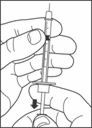
An instructional line drawing showing hands removing the cap from a vial. One hand is holding the vial steady while the other hand pulls the cap upwards. This image likely demonstrates how to prepare the Lantus vial for use.*
FDA Label Image

Figure (Lantus 04)

Figure (Lantus 04)
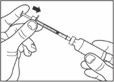
An instructional illustration showing a person removing the cap from a bottle with one hand while holding the bottle steady with the other hand. The image suggests the initial step to access the product inside the bottle, likely for a liquid medication such as Lantus.*
FDA Label Image

Figure (Lantus 05)

Figure (Lantus 05)
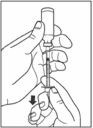
An instructional illustration showing a person holding a syringe and a vial, demonstrating preparation for injection. The image focuses on hands drawing liquid medication from the vial into the syringe, emphasizing proper technique for medication administration.*
FDA Label Image

Figure (Lantus 06)

Figure (Lantus 06)
An instructional illustration showing a hand drawing liquid into a syringe from a vial. The image demonstrates the preparation of an injectable medication, likely insulin, by pulling back the syringe plunger to fill the syringe barrel with the prescribed dose.*
FDA Label Image

Figure (Lantus 07)

Figure (Lantus 07)
Illustration showing a person's hands preparing an insulin pen by attaching or removing the pen cap and holding the pen body, likely demonstrating correct handling of the injection device.*
FDA Label Image

Figure (Lantus 08)

Figure (Lantus 08)
An instructional diagram showing a hand holding a syringe with a needle attached, positioned against a vial. The fingers are shown midway through drawing liquid from the vial into the syringe. An arrow indicates the direction of the plunger being pulled back to fill the syringe.*
FDA Label Image

Figure (Lantus 09)

Figure (Lantus 09)
An instructional line drawing showing a person holding a vial and drawing liquid into a syringe. The illustration demonstrates the method of drawing medication from a vial for injection administration.*
FDA Label Image

Figure (Lantus 10)

Figure (Lantus 10)
An instructional illustration showing a hand holding a syringe pen device. The image depicts another hand pressing the syringe plunger or button, indicating the action of injecting or administering the medication. An arrow emphasizes the pressing motion on the pen device.*
FDA Label Image

Figure (Lantus 11)

Figure (Lantus 11)
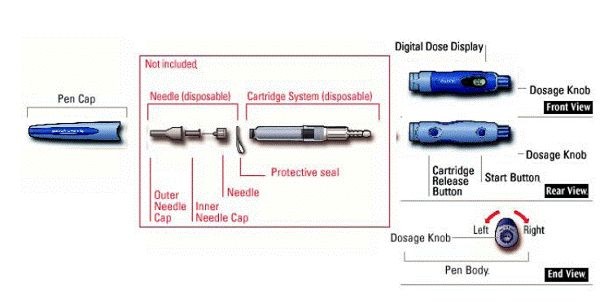
Instructional diagram showing the parts of a Lantus insulin pen device including the pen cap, disposable needle (with outer needle cap, inner needle cap, and needle), cartridge system with protective seal, and labeled views of the pen body. The front, rear, and end views highlight the digital dose display, dosage knob, cartridge release button, and start button, illustrating how to handle and operate the pen components.*
FDA Label Image

Figure (Lantus 12)

Figure (Lantus 12)
Lantus Lantus 100 units/mL vial carton. The packaging includes the proprietary name Lantus prominently in orange text on a white background with orange and gray accents. The label features the strength (100 units/mL) and manufacturer Dispensing Solutions, Inc. The design includes a curved orange band and multiple gray horizontal lines on the side of the box.*
FDA Label Image

Figure (Lantus 13)

Figure (Lantus 13)
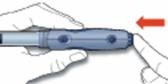
An instructional illustration showing hands holding and pressing the dosage button on a Lantus insulin injector pen. A red arrow indicates the direction to press to deliver the insulin dose.*
FDA Label Image

Figure (Lantus 14)

Figure (Lantus 14)
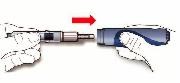
An instructional illustration showing the assembly of the Lantus insulin pen. It depicts a hand loading a cartridge into the pen device, guided by a red arrow pointing from the cartridge toward the pen, demonstrating how to insert the cartridge properly before use.*
FDA Label Image

Figure (Lantus 15)

Figure (Lantus 15)
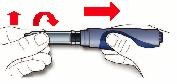
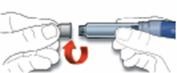
An instructional diagram showing hands preparing a pen injection device. The image depicts removing a cap and twisting the pen mechanism, indicated by red arrows for direction, demonstrating initial steps for use or setup of an injection pen.*
FDA Label Image

Figure (Lantus 16)

Figure (Lantus 16)
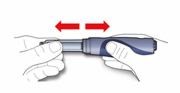
An instructional illustration showing a hand holding a Lantus insulin pen and another hand pulling off the pen cap by sliding it straight off with a red double-headed arrow indicating the direction.*
FDA Label Image

Figure (Lantus 17)

Figure (Lantus 17)
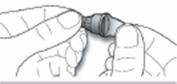
An instructional illustration showing hands holding a Lantus insulin pen device, demonstrating how to attach or remove a pen needle. The image highlights proper handling technique for using the pen, focusing on the fingers gripping the needle cap and pen body.*
FDA Label Image

Figure (Lantus 18)

Figure (Lantus 18)
An instructional illustration showing hands preparing a Lantus SoloStar insulin pen. One hand is removing the pen cap, and the other is holding the pen device. The image visually demonstrates the initial step in using the pen for insulin administration.*
FDA Label Image

Figure (Lantus 19)

Figure (Lantus 19)
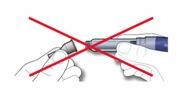
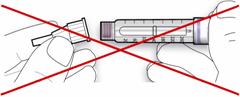
An instructional illustration showing a person holding a syringe and vial, with a red "X" over the image indicating an incorrect action or a step to avoid during medication preparation or administration.*
FDA Label Image

Figure (Lantus 20)

Figure (Lantus 20)
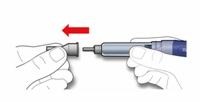
An instructional illustration showing hands removing or pulling off the protective cap from a pen-like medical device, likely an insulin pen. A red arrow indicates the direction to pull the cap away from the pen.*
FDA Label Image

Figure (Lantus 21)

Figure (Lantus 21)
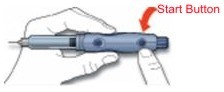
An instructional diagram showing hands holding a Lantus injection pen, with an arrow pointing to the 'Start Button' indicating where to press to begin injection. The illustration focuses on proper handling and operation of the pen injector device.*
FDA Label Image

Figure (Lantus 22)

Figure (Lantus 22)
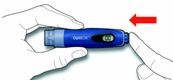
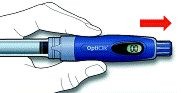
An instructional diagram showing a hand holding a Lantus OptiClick insulin pen, demonstrating the method to inject by pressing the blue button at the pen tip. A red arrow indicates the direction of pressing for insulin delivery.*
FDA Label Image

Figure (Lantus 23)

Figure (Lantus 23)
An instructional illustration showing a person using a blue and gray Lantus SoloSTAR insulin pen. The image demonstrates twisting the red cap off the pen, a step in preparing the pen for injection.*
FDA Label Image

Figure (Lantus 24)

Figure (Lantus 24)
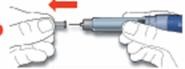
An instructional illustration showing two hands preparing an injection pen. The left hand holds the pen cap, being pulled off with an arrow indicating direction, while the right hand grips the pen body and needle.*
FDA Label Image

Figure (Lantus 25)

Figure (Lantus 25)
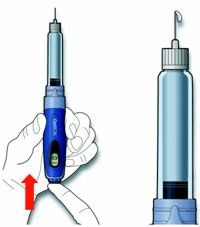
An instructional illustration showing how to use an injection pen device. The image depicts a hand holding a blue insulin pen, with a red arrow pointing to the bottom part of the device. Next to it is a close-up image of the pen's needle tip with a protective cap removed.*
FDA Label Image

Figure (Lantus 26)

Figure (Lantus 26)
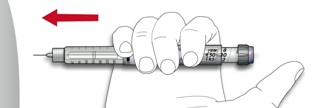
An instructional illustration showing a hand holding an insulin pen-like device with an arrow indicating the direction to twist or pull the pen cap off. This image likely depicts the initial step in preparing the device for use.*
FDA Label Image

Figure (Lantus 27)

Figure (Lantus 27)
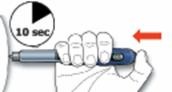
An instructional illustration showing a hand holding an insulin pen. The pen is gripped firmly, with an arrow indicating the direction to push a dose button. A clock symbol shows a 10-second wait time, indicating a recommended hold duration after injection.*
FDA Label Image

Figure (Lantus 28)

Figure (Lantus 28)
An instructional illustration demonstrating how to attach a needle to an insulin pen before injection. It shows a hand holding the insulin pen and another hand attaching the needle with an arrow indicating the direction of attachment.*
FDA Label Image

Figure (Lantus 29)

Figure (Lantus 29)
Illustration showing hands attaching or twisting the cap onto a pen-type injection device, likely related to Lantus insulin administration.*
FDA Label Image

Figure (Lantus 30)

Figure (Lantus 30)
An instructional illustration showing hands holding and using a Lantus insulin pen. The image highlights a step in operating the pen, including pressing a button at the end to administer the dose.*
FDA Label Image

Figure (Lantus 31)

Figure (Lantus 31)
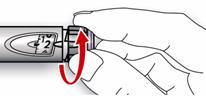
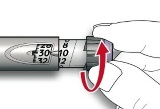
An instructional diagram showing a hand holding a pen-like device with arrows indicating the direction to remove or adjust a component at the device's end. This likely illustrates how to use or prepare a medical injection device.*
FDA Label Image

Figure (Lantus 32)

Figure (Lantus 32)
Lantus packaging label from Dispensing Solutions, Inc. The label features the proprietary name Lantus prominently. Additional details such as strength, dosage form, or package size are not clearly visible in the image provided.*
FDA Label Image

Figure (Lantus 33)

Figure (Lantus 33)
Lantus vial label from Dispensing Solutions, Inc., featuring the proprietary name Lantus prominently. The label includes basic vial information and product identification but no visible strength or detailed dosage form text is discernible in the image.*
FDA Label Image

Figure (Lantus 34)

Figure (Lantus 34)
Lantus vial label showing the brand name with no visible strength or dosage form. The vial is clear with a white label and a gray stopper. The labeler is Dispensing Solutions, Inc., and the product NDC is 55045-3685.*
FDA Label Image

Figure (Lantus 35)

Figure (Lantus 35)
The image shows a rectangular medication vial with a clear liquid inside and a black flip-off cap. On the front label, the proprietary name Lantus is displayed prominently alongside the NDC code 55045-3685. The label indicates the product is from Dispensing Solutions, Inc. The vial appears to be a single-dose or multi-dose injectable form.*
FDA Label Image

Figure (Lantus 36)

Figure (Lantus 36)
Lantus Insulin Glargine SoloSTAR prefilled pen packaging label showing a single injectable pen device. The label includes the brand name Lantus, manufacturer Dispensing Solutions, Inc., and the visible pen with clear measuring scale. The image focuses on the front and side of the packaging.*
FDA Label Image

Figure (Lantus 37)

FDA Label Image

Figure (Lantus 38)

Figure (Lantus 38)
An instructional diagram showing the components of a Lantus insulin pen by Dispensing Solutions, Inc. It illustrates the pen cap, pen needle assembly with protective seal, and detailed pen body parts including the insulin reservoir, rubber seal, dose window, dosage selector, and injection button.*
FDA Label Image

Figure (Lantus 39)

Figure (Lantus 39)
Instructional illustration showing hands preparing a Lantus prefilled SoloSTAR insulin glargine injection pen. The steps include attaching a needle cap on the pen and priming it before injection, as demonstrated by hand positioning on the pen and needle components.*
FDA Label Image

Figure (Lantus 40)

Figure (Lantus 40)
An instructional diagram showing a hand holding a Lantus insulin pen, demonstrating how to attach a needle to the pen. The image emphasizes preparation steps before injection.*
FDA Label Image

Figure (Lantus 41)

Figure (Lantus 41)
Instructional illustration showing a hand holding an insulin pen with an arrow indicating to rotate the dose dial, representing how to set the insulin dose for Lantus by Dispensing Solutions, Inc.*
FDA Label Image

Figure (Lantus 42)

Figure (Lantus 42)
Instructional diagram showing how to maintain a pen injection device cap by keeping the outer cap and discarding an inner needle cover, indicated by arrows. The right part of the pen device displays a visible dose window and the pen needle attachment point.*
FDA Label Image

Figure (Lantus 43)

Figure (Lantus 43)
An instructional illustration showing proper injection technique for a syringe. It depicts a hand holding the syringe vertically with the needle tip facing up and a drop of liquid at the needle tip, indicating preparation before injection.*
FDA Label Image

Figure (Lantus 44)

Figure (Lantus 44)
An instructional illustration showing a hand adjusting the dosage setting on a Lantus insulin pen, demonstrating the rotation of the dosage dial to select the insulin dose.*
FDA Label Image

Figure (Lantus 45)

Figure (Lantus 45)
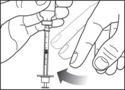
An instructional illustration showing a hand holding a syringe with a finger pulling back on the plunger. A red arrow to the left indicates the direction for withdrawing the plunger. No branding or text visible.*
FDA Label Image

Figure (Lantus 46)

Figure (Lantus 46)
An instructional illustration showing a hand holding an insulin pen, with an arrow pointing to the right and a clock icon indicating 10 seconds, demonstrating the proper injection technique or timing for using the device.*

* About these descriptions: Image descriptions on this page are generated by automated AI analysis of the product label images from the manufacturer's FDA label submission (SPL). They are provided for reference only and may contain errors or omissions. Always rely on the printed label itself and the official FDA labeling, and consult a pharmacist or healthcare professional with any questions about this product.