Tyvaso Inhalant
Product Images NDC 66302-206

View Photos of Packaging, Regulatory Labels, and Product Appearance

Product Visual Gallery

This gallery contains 100 technical images submitted to the FDA as part of the official labeling for Tyvaso (NDC 66302-206). Unlike standard consumer photos, these assets often include clinical data figures, molecular chemical structures, and official manufacturer packaging layouts.

As provided by United Therapeutics Corporation, these visuals offer a comprehensive scientific overview of the product's physical and chemical identity, aiding pharmacists and researchers in product verification and study.

Product Images & Figures Index

FDA Label Image

Chemical Structure (Tyvaso 01)
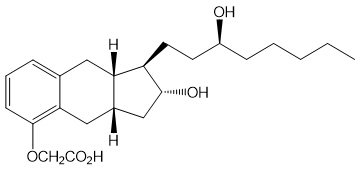
FDA Label Image

Figure 1 (Tyvaso 02)

FDA Label Image

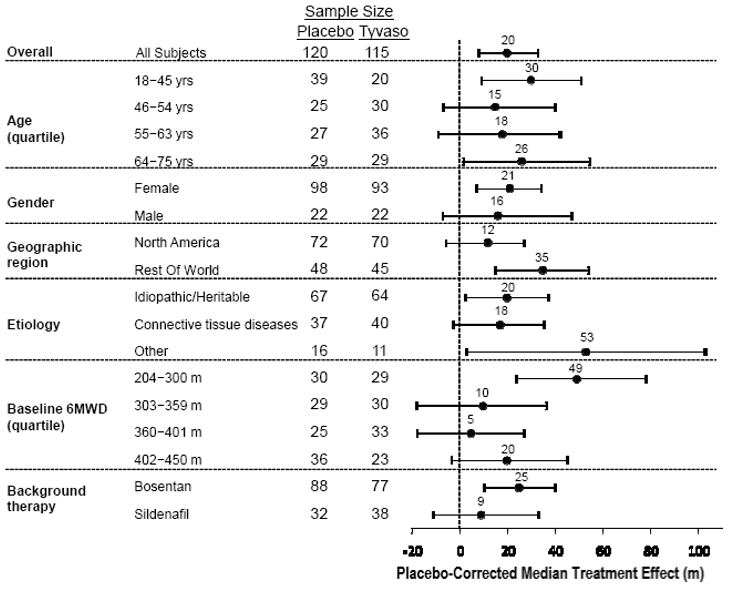
Figure 2 (Tyvaso 03)

Figure 2 (Tyvaso 03)
This appears to be a table containing information on a study or trial. It includes data on the sample size, age and gender of the subjects, geographic location, etiology, and background therapies used. It also includes information on the baseline MWD and a placebo-corrected median treatment effect.*
FDA Label Image

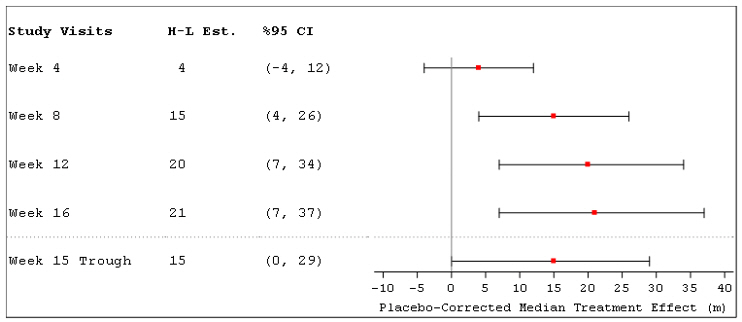
Tyvaso 03a

Tyvaso 03a
This appears to be a chart or table from a study with various week intervals and numerical values. It is not clear what the values represent without further context.*
FDA Label Image

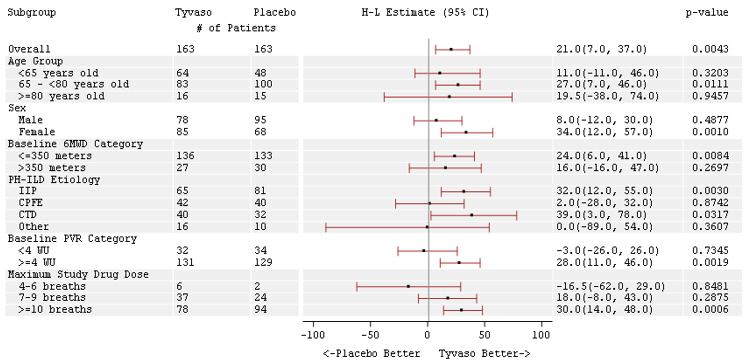
Tyvaso 03b

FDA Label Image

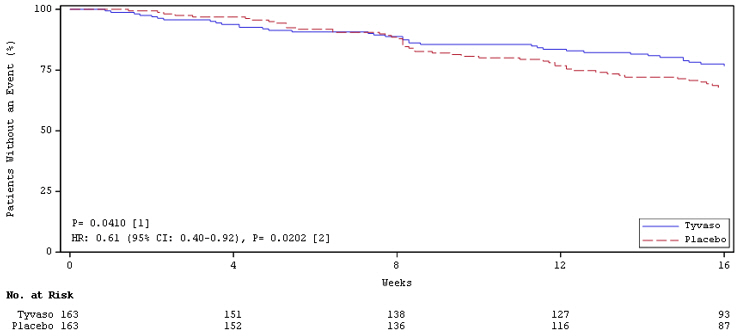
Tyvaso 03c

FDA Label Image

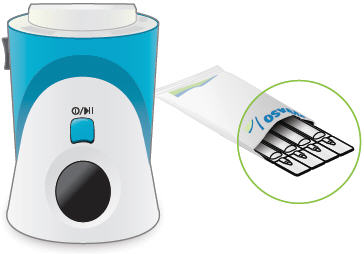
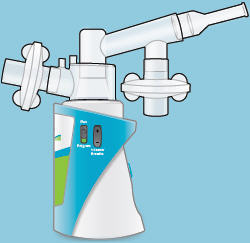
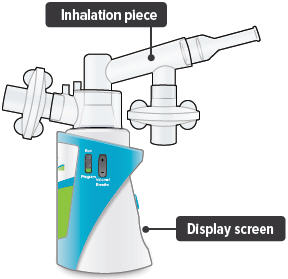
Inhalation Device (Tyvaso 04)

Inhalation Device (Tyvaso 04)
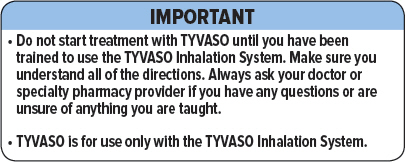
This text contains important information related to the use of TYVASO Inhalation System for treatment. It is essential to undergo training before starting the TYVASO treatment and to understand all directions for proper administration. TYVASO Inhalation System should only be used with TYVASO, and any uncertainties or questions should be addressed to the doctor or specialty pharmacy provider.*
FDA Label Image

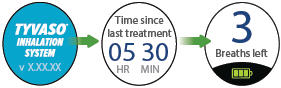
Figure (Tyvaso 05)

Figure (Tyvaso 05)
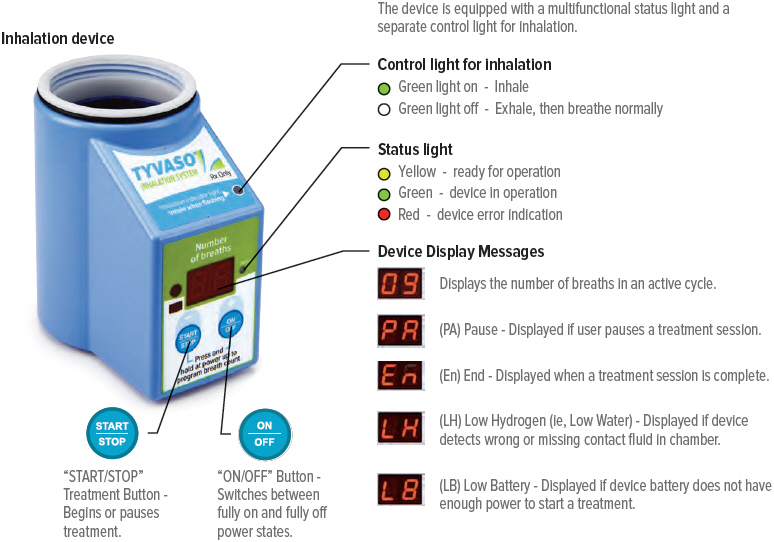
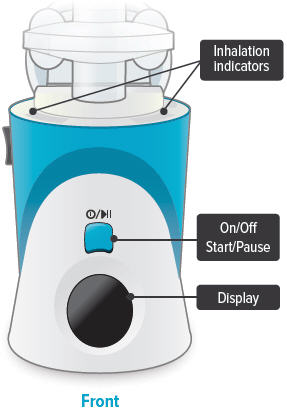
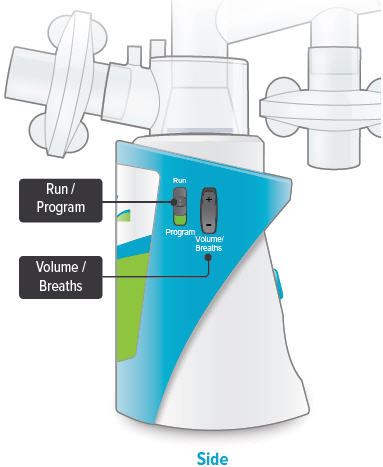
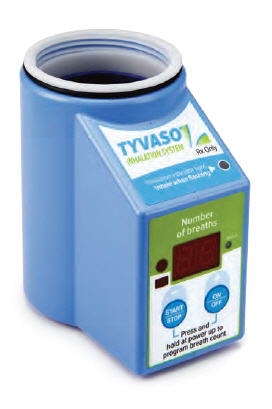
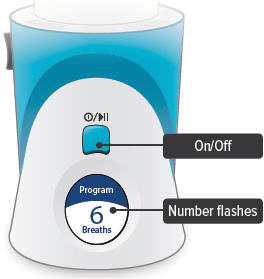
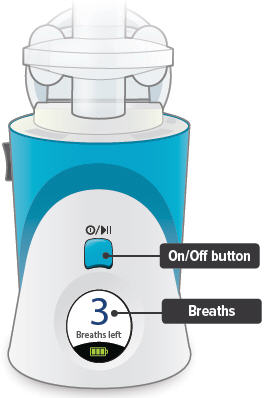
This is a description of an inhalation device. It has a treatment button which begins or pauses treatment and an on/off button which fully switches the power states on or off. The device also comes with two control lights the inhalation control light is green when it is ready for inhalation and is off when a person is exhaling. The status light signals when the device is in operation, has an error indication, or is ready for operation. The device also displays messages such as the number of breaths and alerts for low hydrogen/water or low battery.*
FDA Label Image

Figure (Tyvaso 06)

FDA Label Image

Figure (Tyvaso 07)

FDA Label Image

Figure (Tyvaso 08)

FDA Label Image

Figure (Tyvaso 09)

Figure (Tyvaso 09)
This text indicates that the product is only available with a prescription and cannot be purchased over the counter.*
FDA Label Image

Figure (Tyvaso 10)

FDA Label Image

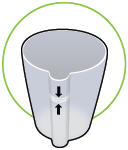
Figure (Tyvaso 100)

Figure (Tyvaso 100)
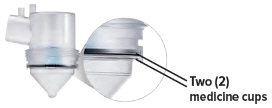
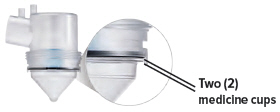
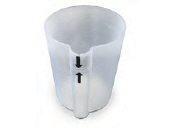
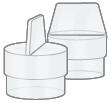
The text provides a description of two medicine cups, which can be used to measure the dosage of medications accurately.*
FDA Label Image

Figure (Tyvaso 101)

FDA Label Image

Figure (Tyvaso 102)

FDA Label Image

Figure (Tyvaso 103)

FDA Label Image

Figure (Tyvaso 104)

FDA Label Image

Figure (Tyvaso 104a)

FDA Label Image

Figure (Tyvaso 105)

FDA Label Image

Figure (Tyvaso 106)

FDA Label Image

Figure (Tyvaso 106a)

FDA Label Image

Figure (Tyvaso 107)

FDA Label Image

Figure (Tyvaso 108)

FDA Label Image

Figure (Tyvaso 109)

FDA Label Image

Figure (Tyvaso 11)

FDA Label Image

Figure (Tyvaso 110)

FDA Label Image

Figure (Tyvaso 111)

FDA Label Image

Figure (Tyvaso 112)

FDA Label Image

Figure (Tyvaso 113)

FDA Label Image

Figure (Tyvaso 114)

FDA Label Image

Figure (Tyvaso 115)

FDA Label Image

Figure (Tyvaso 116)

FDA Label Image

Figure (Tyvaso 117)

FDA Label Image

Figure (Tyvaso 118)

FDA Label Image

Figure (Tyvaso 119)

FDA Label Image

Figure (Tyvaso 12)

FDA Label Image

Figure (Tyvaso 120)

FDA Label Image

Figure (Tyvaso 121)

FDA Label Image

Figure (Tyvaso 122)

FDA Label Image

Figure (Tyvaso 123)

FDA Label Image

Figure (Tyvaso 124)

FDA Label Image

Figure (Tyvaso 125)

FDA Label Image

Figure (Tyvaso 126)

FDA Label Image

Figure (Tyvaso 127)

FDA Label Image

Figure (Tyvaso 128)

FDA Label Image

Figure (Tyvaso 129)

FDA Label Image

Figure (Tyvaso 13)

FDA Label Image

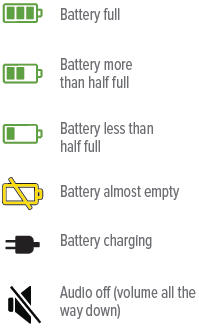
Figure (Tyvaso 130)

Figure (Tyvaso 130)
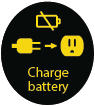
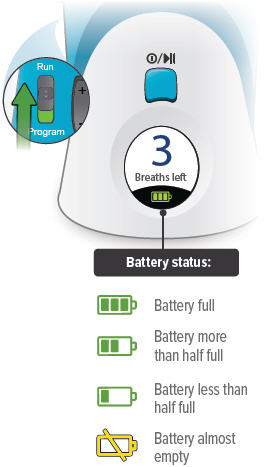
This text provides information regarding battery levels and audio settings. It shows four different battery levels ranging from full to almost empty and also indicates when the battery is being charged. Additionally, it mentions that the audio is turned off and the volume is set to the lowest level. The last line "# g 08 B" is not readable and may be a code or an error.*
FDA Label Image

Figure (Tyvaso 131)

FDA Label Image

Figure (Tyvaso 132)

FDA Label Image

Figure (Tyvaso 133)

FDA Label Image

Figure (Tyvaso 134)

FDA Label Image

Figure (Tyvaso 135)

FDA Label Image

Figure (Tyvaso 136)

FDA Label Image

Figure (Tyvaso 137)

FDA Label Image

Figure (Tyvaso 138)

FDA Label Image

Figure (Tyvaso 139)

FDA Label Image

Figure (Tyvaso 14)

FDA Label Image

Figure (Tyvaso 140)

FDA Label Image

Figure (Tyvaso 141)

FDA Label Image

Figure (Tyvaso 142)

Figure (Tyvaso 142)
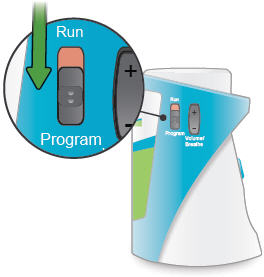
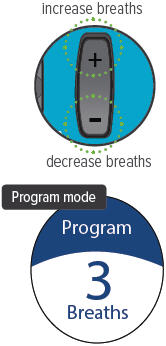
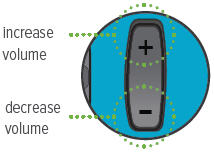
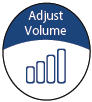
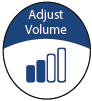
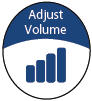
This text is a list of instructions on how to increase or decrease the volume.*
FDA Label Image

Figure (Tyvaso 143)

FDA Label Image

Figure (Tyvaso 144)

FDA Label Image

Figure (Tyvaso 145)

FDA Label Image

Figure (Tyvaso 146)

FDA Label Image

Figure (Tyvaso 147)

FDA Label Image

Figure (Tyvaso 148)

FDA Label Image

Figure (Tyvaso 149)

FDA Label Image

Figure (Tyvaso 15)

FDA Label Image

Figure (Tyvaso 150)

FDA Label Image

Figure (Tyvaso 151)

FDA Label Image

Figure (Tyvaso 152)

FDA Label Image

Figure (Tyvaso 153)

FDA Label Image

Figure (Tyvaso 154)

FDA Label Image

Figure (Tyvaso 155)

FDA Label Image

Figure (Tyvaso 156)

FDA Label Image

Figure (Tyvaso 157)

FDA Label Image

Figure (Tyvaso 158)

FDA Label Image

Figure (Tyvaso 159)

FDA Label Image

Figure (Tyvaso 16)

FDA Label Image

Figure (Tyvaso 160)

FDA Label Image

Figure (Tyvaso 161)

FDA Label Image

Figure (Tyvaso 162)

FDA Label Image

Figure (Tyvaso 163)

FDA Label Image

Figure (Tyvaso 164)

FDA Label Image

Figure (Tyvaso 165)

FDA Label Image

Figure (Tyvaso 166)

FDA Label Image

Figure (Tyvaso 167)

FDA Label Image

Figure (Tyvaso 168)

FDA Label Image

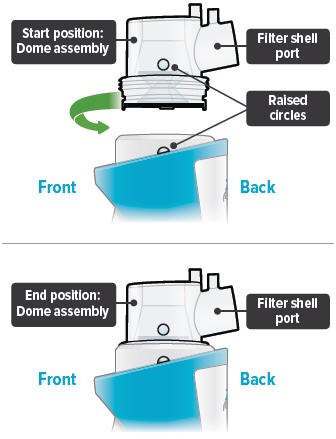
Figure (Tyvaso 169)

Figure (Tyvaso 169)
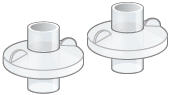
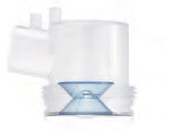
The text describes the start and end positions when working with a dome assembly and filter shell. The filter shell is represented as having raised circles. The start and end positions are the same, and involve working with the filter shell port.*
FDA Label Image

Figure (Tyvaso 17)

FDA Label Image

Figure (Tyvaso 170)

FDA Label Image

Figure (Tyvaso 171)

FDA Label Image

Figure (Tyvaso 172)

FDA Label Image

Figure (Tyvaso 173)

FDA Label Image

Figure (Tyvaso 174)

FDA Label Image

Figure (Tyvaso 175)

FDA Label Image

Figure (Tyvaso 176)

Figure (Tyvaso 176)
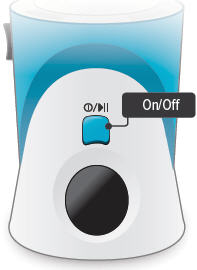
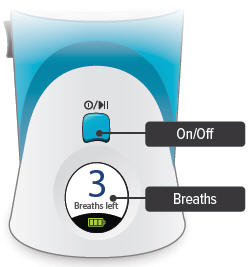
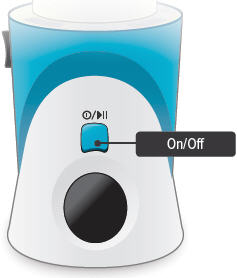
This text seems to be a single phrase that describes the functionality of a button. It appears to be an "On/Off button".*
FDA Label Image

Figure (Tyvaso 177)

* These product label images have been analyzed using experimental machine learning. Please verify findings with the primary label text.