Insulin Aspart Protamine And Insulin Aspart Injection, Suspension
Product Images NDC 73070-200

View Photos of Packaging, Regulatory Labels, and Product Appearance

Product Visual Gallery

This gallery contains 49 technical images submitted to the FDA as part of the official labeling for Insulin Aspart Protamine And Insulin Aspart (NDC 73070-200). Unlike standard consumer photos, these assets often include clinical data figures, molecular chemical structures, and official manufacturer packaging layouts.

As provided by Novo Nordisk Pharma, Inc., these visuals offer a comprehensive scientific overview of the product's physical and chemical identity, aiding pharmacists and researchers in product verification and study.

Product Images & Figures Index

FDA Label Image

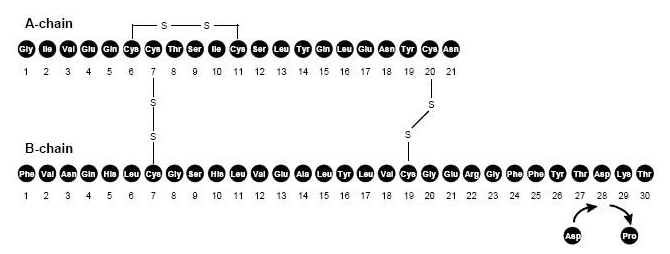
Molecular Chain Of Insulin Aspart. (Image 01)
FDA Label Image

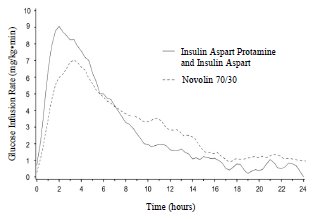
Figure 2 (Image 02)

FDA Label Image

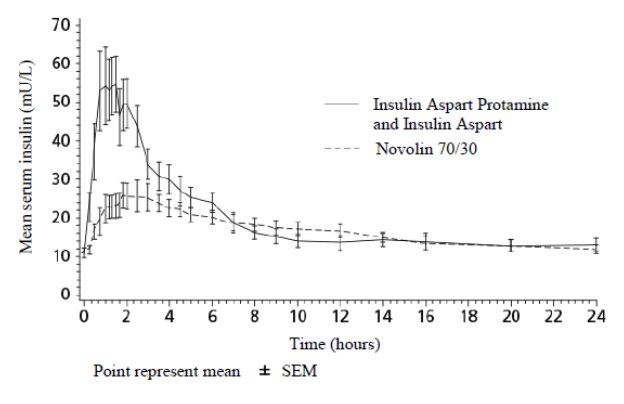
Figure 3 (Image 03)

Figure 3 (Image 03)
This appears to be a graph showing the mean serum insulin levels over time (in hours) for different insulin types including Insulin Aspart Protamine and Insulin Aspart, Novolin 70/30, and possibly another type represented by the symbols on the graph. The insulin levels are measured in mU/L and the points on the graph represent the mean values with SEM (standard error of the mean) indicated.*
FDA Label Image

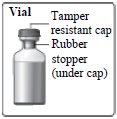
Vial Figure (Image 04)

FDA Label Image

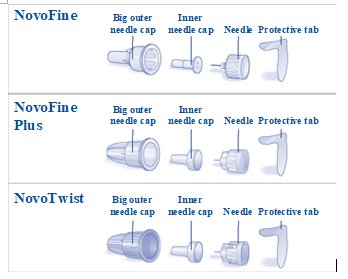
Needle Components. (Image 05)

FDA Label Image

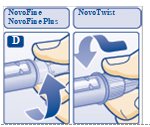
Figure D: Screw Needle On. (Image 06)

FDA Label Image

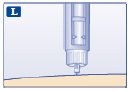
Figure L (Image 07)

FDA Label Image

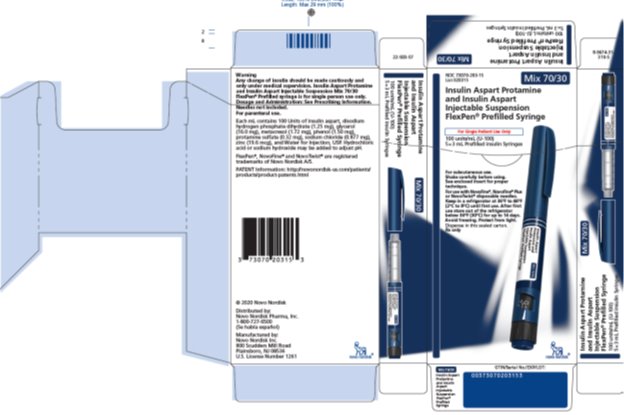
Flexen Carton (Image 08)

FDA Label Image

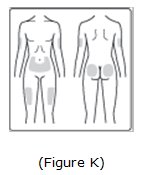
Image Of Possible Injection Sites. (Image 09)

FDA Label Image

Important (Image 10)

FDA Label Image

Important (Image 11)

FDA Label Image

Important (Image 12)

FDA Label Image

Important (Image 13)

FDA Label Image

Important (Image 14)

FDA Label Image

Important (Image 15)

FDA Label Image

Important (Image 16)

FDA Label Image

Important (Image 17)

FDA Label Image

Important (Image 18)

FDA Label Image

Important (Image 19)

FDA Label Image

Important (Image 20)

FDA Label Image

Important (Image 21)

FDA Label Image

Important (Image 22)

FDA Label Image

Important (Image 23)

FDA Label Image

Important (Image 24)

FDA Label Image

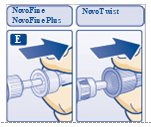
Figure E: Pull Off Outer Needle Cap. (Image 25)

FDA Label Image

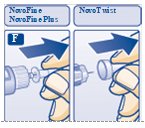
Figure F: Pull Off Inner Needle Cap. (Image 26)

FDA Label Image

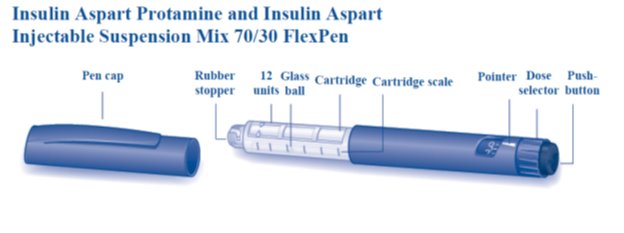
Overview Of Flexpen (Image 27)

FDA Label Image

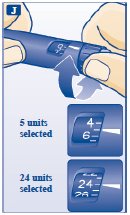
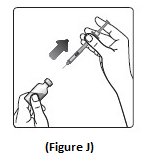
Figure J (Image 28)

FDA Label Image

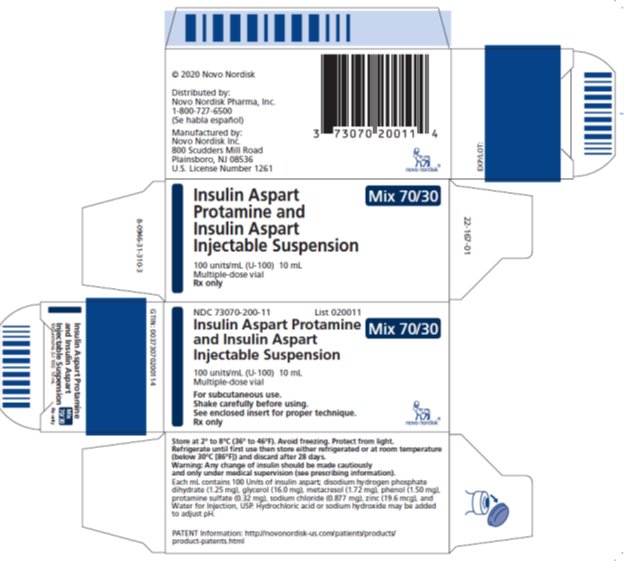
Vial Carton (Image 29)

FDA Label Image

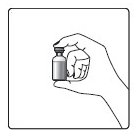
Hand & Vial Figure (Image 36)

FDA Label Image

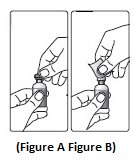
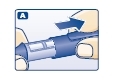
Figure A & Figure B (Image 37)

FDA Label Image

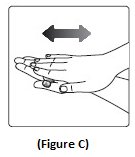
Figure C (Image 38)

FDA Label Image

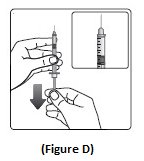
Figure D (Image 39)

FDA Label Image

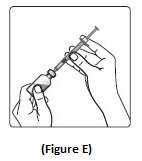
Figure E (Image 40)

FDA Label Image

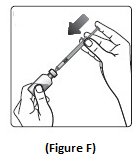
Figure F (Image 41)

FDA Label Image

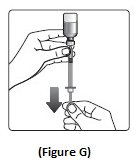
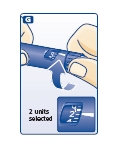
Figure G (Image 42)

FDA Label Image

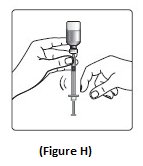
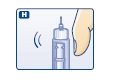
Figure H (Image 43)

FDA Label Image

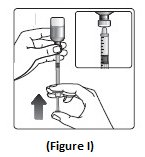
Figure I (Image 44)

FDA Label Image

Figure J (Image 45)

FDA Label Image

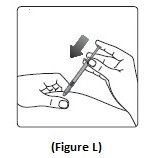
Figure L (Image 47)

FDA Label Image

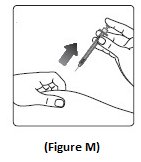
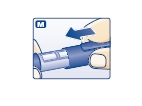
Figure M (Image 48)

FDA Label Image

Pull Off The Pen Cap. (Image 50)

FDA Label Image

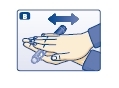
Roll The Pen Between Your Palms. (Image 51)

FDA Label Image

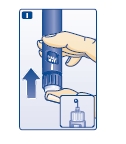
Move The Pen Up And Down. (Image 52)

FDA Label Image

Turn The Dose Selector To 2 Units. (Image 56)

FDA Label Image

Tap The Needle. (Image 57)

FDA Label Image

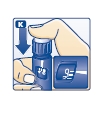
Press The Push-button. (Image 58)

FDA Label Image

Press The Push Button To Inject. (Image 60)

FDA Label Image

Replace The Pen Cap. (Image 62)

* These product label images have been analyzed using experimental machine learning. Please verify findings with the primary label text.