Insulin Aspart Protamine And Insulin Aspart Injection, Suspension
Product Images NDC 73070-203

View Photos of Packaging, Regulatory Labels, and Product Appearance

Product Visual Gallery

This gallery contains 49 technical images submitted to the FDA as part of the official labeling for Insulin Aspart Protamine And Insulin Aspart (NDC 73070-203). Unlike standard consumer photos, these assets often include clinical data figures, molecular chemical structures, and official manufacturer packaging layouts.

As provided by Novo Nordisk Pharma, Inc., these visuals offer a comprehensive scientific overview of the product's physical and chemical identity, aiding pharmacists and researchers in product verification and study.

Product Images & Figures Index

FDA Label Image

Molecular Chain Of Insulin Aspart. (Image 01)
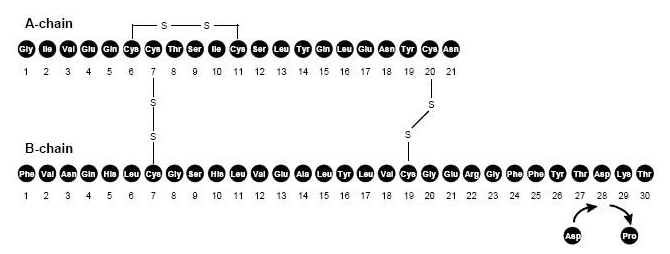
Molecular Chain Of Insulin Aspart. (Image 01)
Chemical structure diagram showing the amino acid sequences and disulfide bridges of the A-chain and B-chain of insulin aspart. The diagram details the position of amino acids with bonds connecting cysteine residues, illustrating the protein's molecular framework.*
FDA Label Image

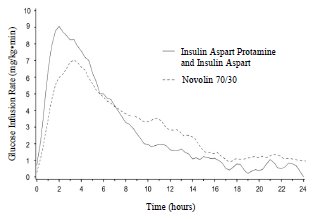
Figure 2 (Image 02)

Figure 2 (Image 02)
A line graph comparing glucose infusion rates over 24 hours for Insulin Aspart Protamine and Insulin Aspart versus Novolin 70/30. The x-axis represents time in hours, and the y-axis shows glucose infusion rate in mg/kg/min, illustrating the pharmacodynamic profiles of these insulin formulations.*
FDA Label Image

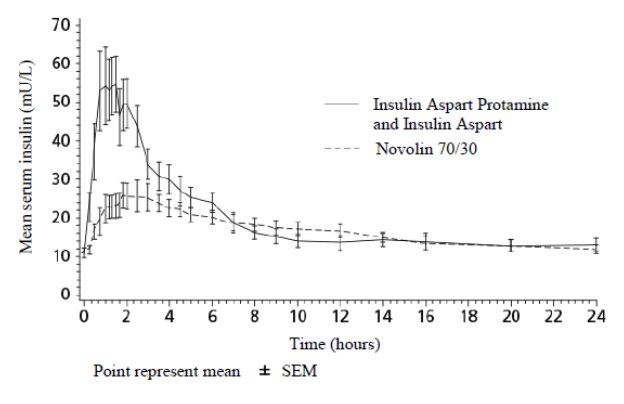
Figure 3 (Image 03)

Figure 3 (Image 03)
A line graph comparing mean serum insulin levels (mIU/L) over time (hours) between Insulin Aspart Protamine and Insulin Aspart Mix 70/30 and Novolin 70/30. The graph shows insulin levels peaking within the first few hours and declining gradually, with error bars indicating the standard error of the mean (SEM) for each data point.*
FDA Label Image

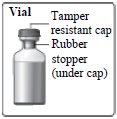
Vial Figure (Image 04)

Vial Figure (Image 04)
Illustration showing a vial with a tamper-resistant cap and a rubber stopper located under the cap. The vial is depicted in a simple line drawing.*
FDA Label Image

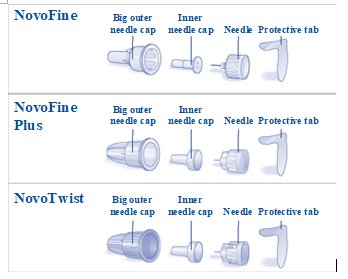
Needle Components. (Image 05)

Needle Components. (Image 05)
An instructional diagram showing the components of three types of injection needles labeled NovoFine, NovoFine Plus, and NovoTwist. Each set includes a big outer needle cap, inner needle cap, needle, and protective tab, depicted in a horizontal arrangement with labels for each part.*
FDA Label Image

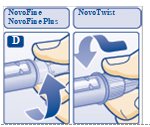
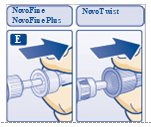
Figure D: Screw Needle On. (Image 06)

Figure D: Screw Needle On. (Image 06)
An instructional illustration showing how to attach a NovoFine or NovoFine Plus syringe needle to a NovoTwist pen-type injector, demonstrating proper needle placement and securing for insulin injection preparation.*
FDA Label Image

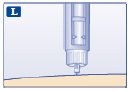
Figure L (Image 07)

Figure L (Image 07)
An instructional illustration showing the tip of a syringe or injection pen with a visible needle, positioned just above the skin. This image likely depicts the step of preparing or administering a subcutaneous injection, relevant to the Insulin Aspart Protamine and Insulin Aspart Mix 70/30 injection product.*
FDA Label Image

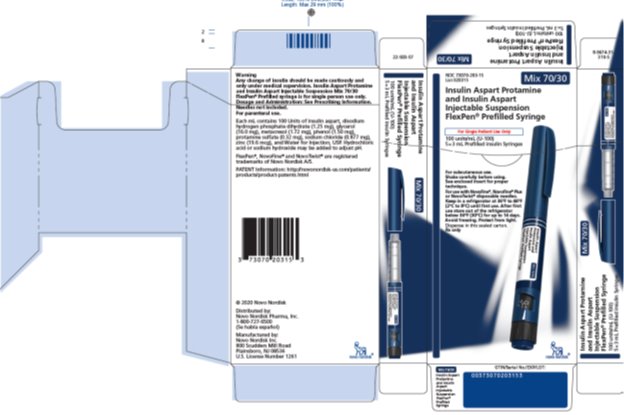
Flexen Carton (Image 08)

Flexen Carton (Image 08)
Packaging label for Insulin Aspart Protamine and Insulin Aspart Mix 70/30, 100 units/mL, injection suspension in FlexPen prefilled syringe form. The label indicates it is for subcutaneous use and is distributed and manufactured by Novo Nordisk Pharma, Inc. The design features blue and white colors, with images of the FlexPen syringe on multiple sides of the carton.*
FDA Label Image

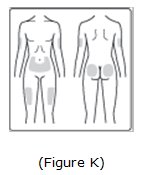
Image Of Possible Injection Sites. (Image 09)

Image Of Possible Injection Sites. (Image 09)
Illustration showing the front and back views of a human figure with marked areas on the abdomen and upper buttocks, indicating possible subcutaneous injection sites for administering medication.*
FDA Label Image

Important (Image 10)

FDA Label Image

Important (Image 11)

FDA Label Image

Important (Image 12)

FDA Label Image

Important (Image 13)

FDA Label Image

Important (Image 14)

FDA Label Image

Important (Image 15)

FDA Label Image

Important (Image 16)

FDA Label Image

Important (Image 17)

FDA Label Image

Important (Image 18)

FDA Label Image

Important (Image 19)

FDA Label Image

Important (Image 20)

FDA Label Image

Important (Image 21)

FDA Label Image

Important (Image 22)

FDA Label Image

Important (Image 23)

FDA Label Image

Important (Image 24)

FDA Label Image

Figure E: Pull Off Outer Needle Cap. (Image 25)

Figure E: Pull Off Outer Needle Cap. (Image 25)
An instructional illustration showing the use of NovoFine and NovoFine Plus needles with the NovoTwist device. The images depict hand positioning for attaching or handling the injection needles, emphasizing proper technique for subcutaneous injection of Insulin Aspart Protamine and Insulin Aspart Mix 70/30.*
FDA Label Image

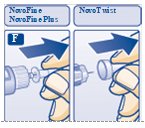
Figure F: Pull Off Inner Needle Cap. (Image 26)

Figure F: Pull Off Inner Needle Cap. (Image 26)
Illustration showing step-by-step instructions for removing a cap from a NovoFine or NovoFine Plus needle (left) and a NovoTwist needle (right) as part of the injection preparation process. Each panel uses arrows to indicate the removal motion and depicts a hand holding the needle device.*
FDA Label Image

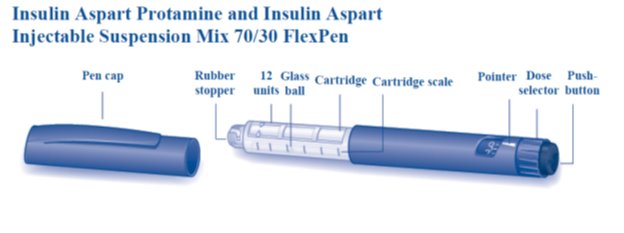
Overview Of Flexpen (Image 27)

Overview Of Flexpen (Image 27)
An instructional diagram of the Insulin Aspart Protamine and Insulin Aspart Injectable Suspension Mix 70/30 FlexPen showing its components: pen cap, rubber stopper, 12 glass units ball, cartridge, cartridge scale, pointer, dose selector, and push-button.*
FDA Label Image

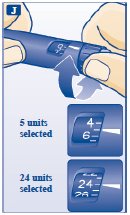
Figure J (Image 28)

Figure J (Image 28)
An instructional diagram illustrating the use of an insulin pen for subcutaneous injection. It shows a close-up of a hand dialing the dose selector on the pen to select units of insulin, with two examples highlighted: 5 units and 24 units selected on the dose window.*
FDA Label Image

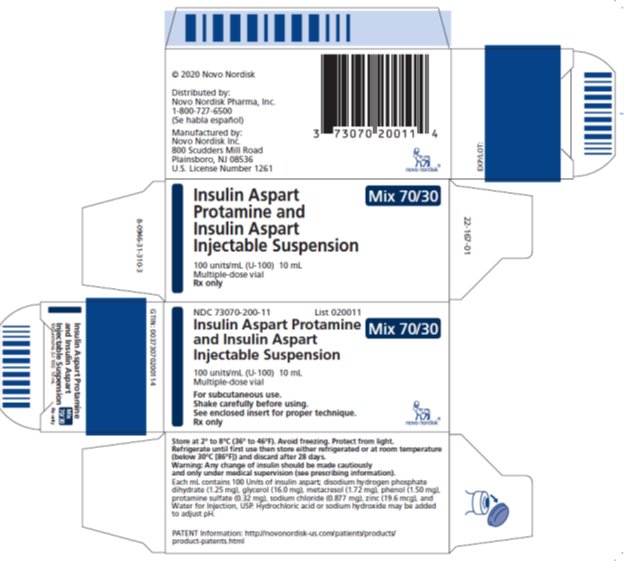
Vial Carton (Image 29)

Vial Carton (Image 29)
Packaging label for Insulin Aspart Protamine and Insulin Aspart Mix 70/30 injectable suspension, 100 units/mL, 10 mL multi-dose vial. The label includes product name, strength, dosage form, route as subcutaneous, instructions to shake carefully, storage directions, and manufacturer Novo Nordisk Pharma, Inc. A barcode and NDC number 73070-200-11 are visible.*
FDA Label Image

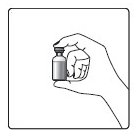
Hand & Vial Figure (Image 36)

Hand & Vial Figure (Image 36)
Illustration showing a hand holding a small vial, depicting the proper grip or handling method for an injection vial. This image is typically used in instructions for subcutaneous injection preparation or administration.*
FDA Label Image

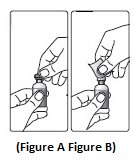
Figure A & Figure B (Image 37)

Figure A & Figure B (Image 37)
An instructional diagram showing two steps of preparing a vial for injection. The first image (Figure A) shows hands holding a vial with the cap being removed. The second image (Figure B) shows hands attaching a cap or device to the vial.*
FDA Label Image

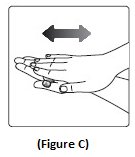
Figure C (Image 38)

Figure C (Image 38)
An instructional illustration showing a close-up of a hand holding another hand's finger, with a double-headed arrow above indicating a back-and-forth motion. This figure likely demonstrates a specific technique or action related to drug administration or handling.*
FDA Label Image

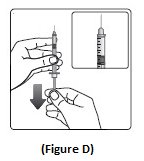
Figure D (Image 39)

Figure D (Image 39)
An instructional diagram labeled as Figure D showing how to prepare a syringe for injection. It depicts a hand holding a syringe with a needle, with an inset zoom of the syringe and a downward arrow indicating a step in the preparation process.*
FDA Label Image

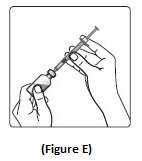
Figure E (Image 40)

Figure E (Image 40)
An instructional illustration labeled as Figure E showing hands preparing a syringe by drawing a suspension from a vial. The image demonstrates the technique for subcutaneous injection of insulin aspart suspension.*
FDA Label Image

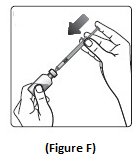
Figure F (Image 41)

Figure F (Image 41)
An instructional illustration showing two hands preparing a syringe for use. One hand holds the syringe and needle assembly, while the other hand is positioned to remove the protective cap. An arrow indicates the direction of cap removal.*
FDA Label Image

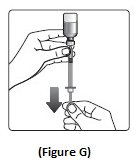
Figure G (Image 42)

Figure G (Image 42)
An instructional illustration labeled Figure G showing a hand holding a vial upside down connected to a syringe. The image includes a downward arrow indicating the direction for drawing medication from the vial into the syringe, demonstrating how to prepare an injection.*
FDA Label Image

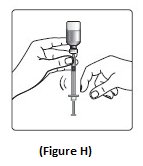
Figure H (Image 43)

Figure H (Image 43)
An instructional illustration showing a person drawing liquid from a vial into a syringe, demonstrating proper technique for preparing an injection dose of medication.*
FDA Label Image

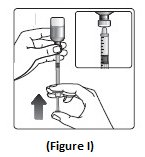
Figure I (Image 44)

Figure I (Image 44)
An instructional diagram showing how to withdraw insulin suspension from a vial using a syringe. It depicts a hand holding the vial upside down and inserting the syringe needle into the vial, with an inset close-up of the syringe barrel filling with the liquid injection.*
FDA Label Image

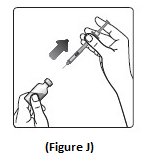
Figure J (Image 45)

Figure J (Image 45)
An instructional illustration showing a hand holding a syringe and a bottle, with an arrow indicating the insertion of the syringe needle into the bottle for drawing up medication. The image is labeled as Figure J and is related to the preparation of an injectable suspension.*
FDA Label Image

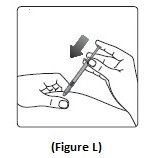
Figure L (Image 47)

Figure L (Image 47)
An instructional line drawing showing two hands preparing an injection with a syringe and vial. One hand holds the syringe, while the other holds the vial upside down, aligning the syringe needle to withdraw medication. This image likely demonstrates the proper technique for drawing up insulin solution for subcutaneous injection.*
FDA Label Image

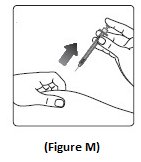
Figure M (Image 48)

Figure M (Image 48)
An instructional illustration showing a hand administering a subcutaneous injection in the forearm using a syringe. The image depicts the needle being inserted at an angle into the skin, demonstrating the proper technique for injection.*
FDA Label Image

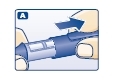
Pull Off The Pen Cap. (Image 50)

Pull Off The Pen Cap. (Image 50)
Instructional illustration showing a hand injecting insulin aspart protamine and insulin aspart mix 70/30 using a syringe or pen device. The image depicts the proper grip and injection technique.*
FDA Label Image

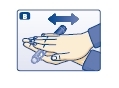
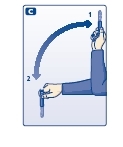
Roll The Pen Between Your Palms. (Image 51)

Roll The Pen Between Your Palms. (Image 51)
An instructional illustration depicting a hand with fingers extended and the opposite hand pulling back the ring and middle fingers. Two arrows indicate horizontal movement, suggesting a technique likely related to preparing or administering an injection.*
FDA Label Image

Move The Pen Up And Down. (Image 52)

Move The Pen Up And Down. (Image 52)
An instructional diagram showing steps for preparing an injection. It depicts a person holding a syringe upright to remove air, then turning the syringe to draw medication from a vial, illustrating the preparation process for injection.*
FDA Label Image

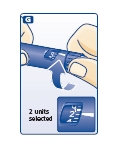
Turn The Dose Selector To 2 Units. (Image 56)

Turn The Dose Selector To 2 Units. (Image 56)
Illustration showing a close-up of hands adjusting a dose selector on an insulin pen injector. The dial indicates '2 units selected' for dosing. The image visually guides dose selection for subcutaneous insulin injection.*
FDA Label Image

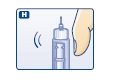
Tap The Needle. (Image 57)

Tap The Needle. (Image 57)
An instructional illustration showing a hand holding a syringe with a needle cap being removed or an action involving needle preparation. The image includes a symbol indicating motion or vibration near the syringe needle area.*
FDA Label Image

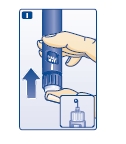
Press The Push-button. (Image 58)

Press The Push-button. (Image 58)
Instructional illustration showing how to prepare the Insulin Aspart Protamine and Insulin Aspart Mix 70/30 injection. The image depicts a hand holding the vial with an arrow indicating the vial should be moved or inverted, suggesting the step for mixing or resuspending the insulin suspension prior to use.*
FDA Label Image

Press The Push Button To Inject. (Image 60)

Press The Push Button To Inject. (Image 60)
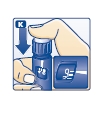
An instructional illustration showing a hand holding and turning the cap of an insulin pen cartridge labeled with '70/30'. An arrow indicates the direction to turn the cap, demonstrating how to unlock or remove it before use.*
FDA Label Image

Replace The Pen Cap. (Image 62)

Replace The Pen Cap. (Image 62)
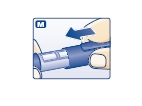
An instructional diagram showing a close-up of a pen-type injection device. The image depicts a hand holding the device and pressing a button, indicating the step for administering a dose. The letter 'M' is visible in the top left corner of the image.*

* About these descriptions: Image descriptions on this page are generated by automated AI analysis of the product label images from the manufacturer's FDA label submission (SPL). They are provided for reference only and may contain errors or omissions. Always rely on the printed label itself and the official FDA labeling, and consult a pharmacist or healthcare professional with any questions about this product.